
Have you noticed a sudden influx of indexed pages in Google Search Console? You're not alone, particularly if your site runs on Shopify.
It's most likely a bot spam attack exploiting a vulnerability in the site search query functionality, and it has affected thousands of websites. This article explains why these URLs appear, how to confirm whether it's happening on your site, and several options for cleaning it up so your SEO isn't damaged.
Is my website hacked? No, this is a bot attack via your site search query URLs
First reports of this spam attack date back to July 2022, though the majority of reports, including sites I've worked on directly, began appearing from around December 2022.
It appears to be a Shopify vulnerability. Plenty of people have contacted Shopify support and received mixed answers, including:
- "Reach out to your developer."
- "It's a Google issue."
- That someone manually created the pages, in part by using the vendor field to create a URL.
- To disavow the backlinks, which doesn't make much sense given these aren't external backlinks. That said, it's worth checking whether your site has received an influx of backlinks pointing at the spam URLs. I haven't seen it myself, but it's a tactic spammers have used before.
- That it was injected by a third-party app.
There have also been reports of this occurring on Magento sites.
How it works
The attack uses vendor query URLs to fire thousands of fake search queries at a website, which then dynamically generates URLs matching those queries. You can test one yourself by visiting something like yoursite.com.au/collections/vendors?q=test. Normally you'd expect a 404 or a "no results found" page, which is exactly right.
The ?q= in the URL represents a search query string, which can be entered by a user or, in this case, by a bot. The page doesn't technically exist independently on the website, but it does exist as a search result on the site, which Google can then pick up and index.
Searching Google manually for the text appearing in one of these spam URLs turned up more than 13 million affected pages indexed at the time, and that was for just one of the many recurring phrases.
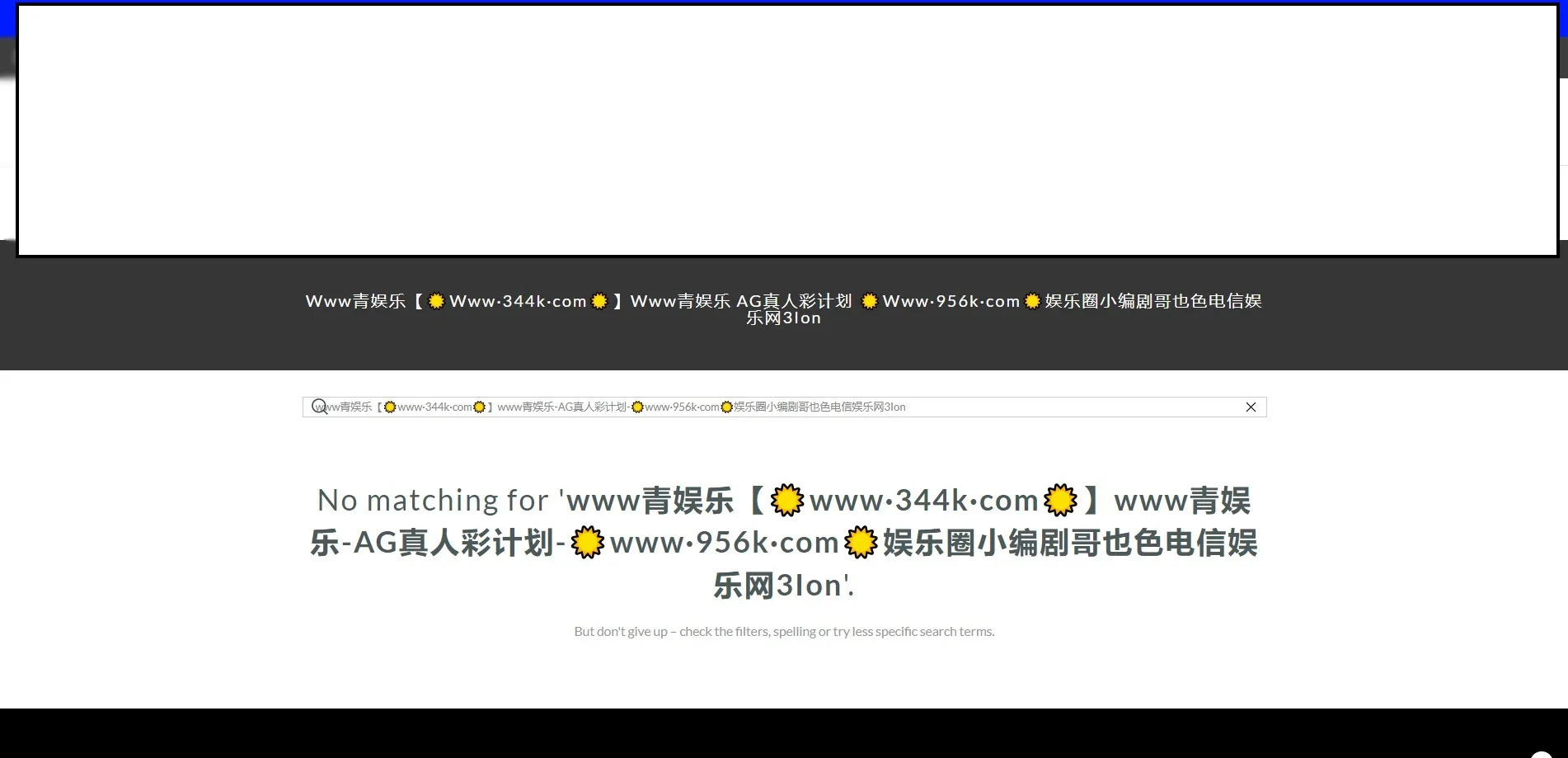
Why people use bots to do this
There are a couple of reasons someone would create bulk malicious queries at scale.
The first is negative SEO: attacking a competitor to try to de-rank them. Given how widely this has been reported across hundreds if not thousands of sites, that's unlikely to be the motive here.
The more likely reason is promotion of whatever appears in the dynamically generated URLs. The attacker is using your site's search results page to promote their own URL, product or offer, riding on your domain's ability to get indexed.
Why this may be a problem for your site
If the query URLs appearing in Search Console contain a +, there's a good chance there's nothing to worry about, because the default robots.txt should contain a disallow line for /*/collections/*+*.
Shopify stores generally don't have the /vendors? path disallowed by default, which means there's a good chance these spam query URLs are being crawled and indexed. Reports vary wildly where some sites see a handful of URLs, others see thousands or even millions.
Either way, spam URLs flooding your index is not an ideal scenario.
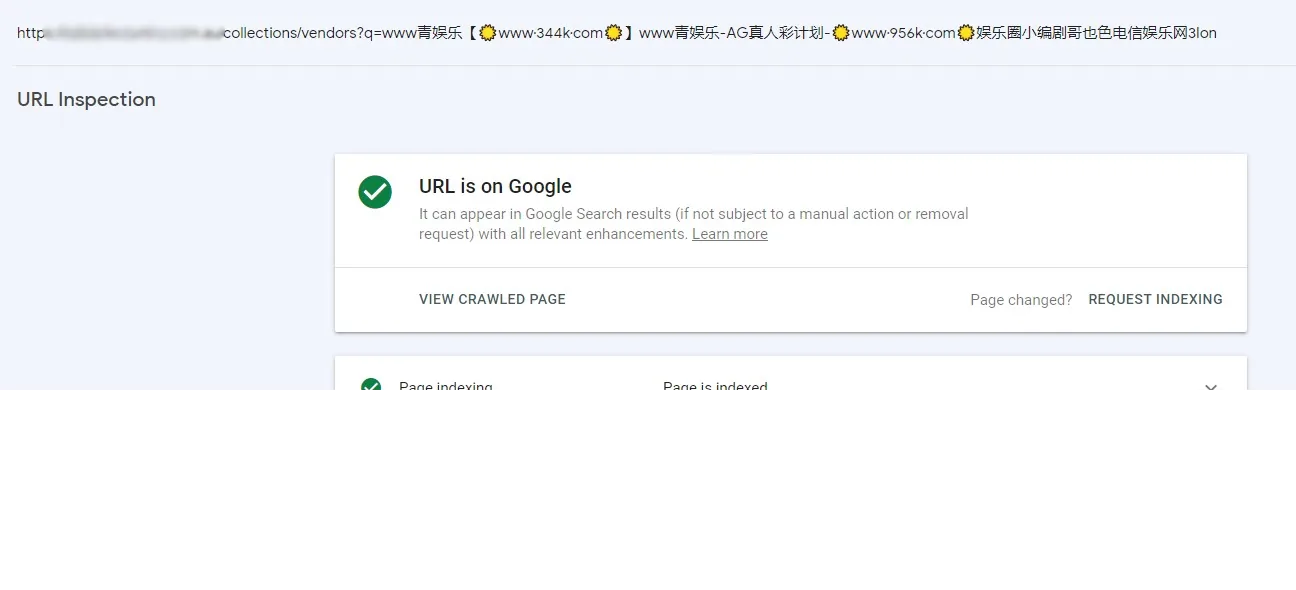
How to check if this has affected your site
The quickest check is in Google Search Console. Go to Pages, then the indexed report, and look for an abnormal spike in indexed pages.
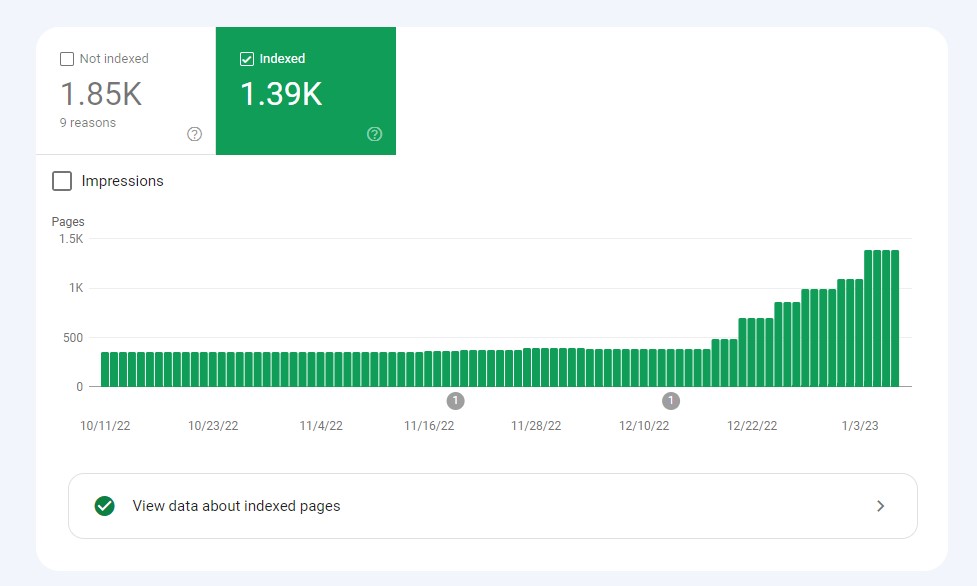
Then open "View data about indexed pages". If you see obvious spam URLs rather than legitimate pages from your site, you've been affected.
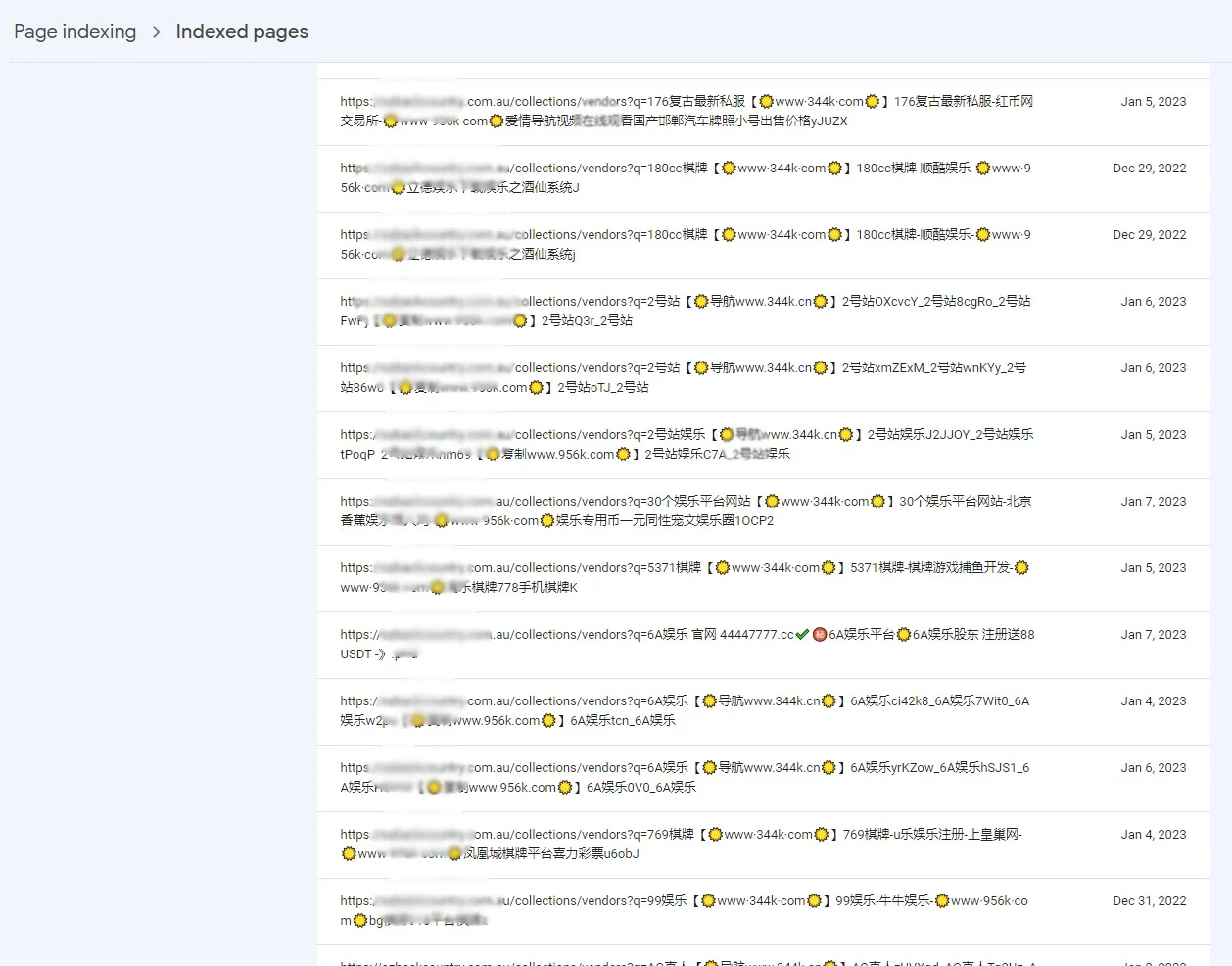
SEO solution options
If this is happening on a small scale, there's a chance Google ignores the URLs and simply logs them as "crawled, currently not indexed" or "discovered, currently not indexed", in which case your SEO may be unaffected. Where larger numbers are being indexed, it becomes a serious problem.
Start with two checks: the indexed pages report to confirm the issue exists, and your robots.txt to see whether you're already disallowing /vendors? paths. If not, one or more of the following will clean it up.
1. Add noindex to all /collections/vendors? URLs
This noindexes every vendor URL on the site. That may not be desirable if you have active vendor URLs that are supposed to be indexed and are driving valuable traffic. Even though these auto-generated pages aren't individually editable, they may still be indexed and sending traffic, or even sales. Check in Search Console or Analytics before committing.
Code for your theme.liquid file:
{% if template contains "collection" and collection.handle == "vendors" %}
<meta name="robots" content="noindex, follow">
{% endif %}
2. Add noindex only where products = 0
A more targeted approach. If you found in the step above that you have vendor URLs driving traffic or sales and you need them to stay indexed, this is the better option. It adds a noindex tag only where a vendors URL returns no products, meaning your genuine vendor pages remain indexed while the spam-generated "no results" pages don't.
Code for your theme.liquid file:
{%- if request.path == '/collections/vendors' and collection.all_products_count == 0 -%}
<meta name="robots" content="noindex">
{%- endif -%}
You should then see this when checking the source of one of the spam URLs:

3. Disallow crawling of vendor URLs via robots.txt
The next time Google crawls your site, it will find a rule telling it not to crawl /collections/vendors?q= paths.
Add this to your robots.txt under User-agent: *:
Disallow: */vendors?q=*4. Use Search Console's removals tool
The temporary removal tool under Removals in Search Console blocks matching URLs from search results for a limited period and clears the current snippet. It is temporary by design: for permanent removal you still need to stop the pages being indexable. Check the current Search Console interface for exact wording and duration, as these may have changed over time.
You can choose "Remove all URLs with this prefix" and submit:
https://yourdomain.com/collections/vendors?q=Google will process the request and remove URLs matching that prefix from its index. Google is explicit that this should only be one step in the process, and suggests also removing or updating the content (not technically possible here, since the content doesn't exist on the site), blocking access to it (not an option here), or indicating that the page shouldn't be indexed via a noindex tag, which is points 1 and 2 above.
5. Send empty results pages to a 404
Set category and search pages that return no results to serve a 404. This needs a developer to implement, but it removes the indexable page entirely rather than asking Google to ignore it.
6. Stop the query being printed in the title tag
This one attacks the motive rather than the symptom. If the spam text can no longer be seen on the search results page, the incentive for the attacker disappears. The code below forces an empty results page to display something other than the spam text, in this case "404 Not Found", while leaving your normal SEO title in place everywhere else.
{%- if request.path == '/collections/vendors' and collection.all_products_count == 0 %}
<title>404 Not Found</title>
{%- else %}
<title>{{ seo_title }}</title>
{% endif %}
What worked for me
So far I've used a combination of options 2 and 4 to successfully clean several sites of this spam attack. This includes setting noindex on the empty vendor pages to solve it structurally, plus prefix removal in Search Console to clear the existing index faster than waiting for a recrawl.
Shopify is aware of the issue. If you've seen this happening on one of your sites, I'd like to hear how you tackled it.